

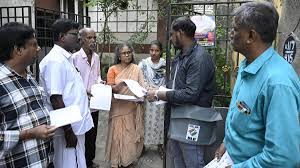
CHENNAI: Tamil Nadu Voters List 2025: Check here to find whether your name or your relative’s name is on the Tamil Nadu voter list.
So, if you’re unsure whether your name or that of your parents or relatives is still on the list, don’t worry. You can easily check it online in just a few steps.
Guide to check your name in Tamil Nadu voter list:
Go to https://www.elections.tn.gov.in/Electoral_Services.aspx
Click on “Special Intensive Revision – 2002/2005”.
Click on the option that says “Search your name in electoral roll.”
You’ll see three options to search:
Search by EPIC number (Elector’s Photo Identity Card)
Search by Details
Search by Mobile number
Tamil Nadu voter id download: Option 1. To search by EPIC Number:
If you already have your voter ID card this is the most accurate method.
Enter your EPIC number (as printed on your voter ID).
Select Tamil Nadu from the state dropdown list.
Type the Captcha code shown on the screen.
Click on “Search.”
Your voter details should appear on the screen instantly.
Tamil Nadu election: Option 2. Search by Personal Details
If you don’t have your EPIC number handy, you can still find your name using your personal details.
Click on “Search by details.”
Select state and language (Tamil or English).
Enter the following details:
* Your full name (or your relative’s name if you’re checking for someone else)
* Date of birth (as per your official records)
* Gender
* District and constituency
Fill in the Captcha code and click on “Search.”
Your voter details should appear on the screen instantly.
Tamil Nadu election date: Option 3 Search by Mobile Number:
If you have already linked your mobile number with your voter registration document, this is another convenient way.
* Click on “Search by Mobile.”
* Select your state and language.
* Enter your mobile number.
* Fill in the Captcha code and click “Send OTP.”
* You’ll receive a One-Time Password (OTP) on your phone.
* Enter the OTP and click “Search.”
Your voter information will be displayed on the screen.

